Fast sync and filing
Useful when you want hosted workflows, exchange connections, and direct filing paths.
 Gainz
Download
Gainz
Download
Free private offline desktop tool
Import CSVs, review missing basis and holdings gaps, scan tax evidence by reference, and generate CPA-ready draft audit packets without uploading your transaction history.
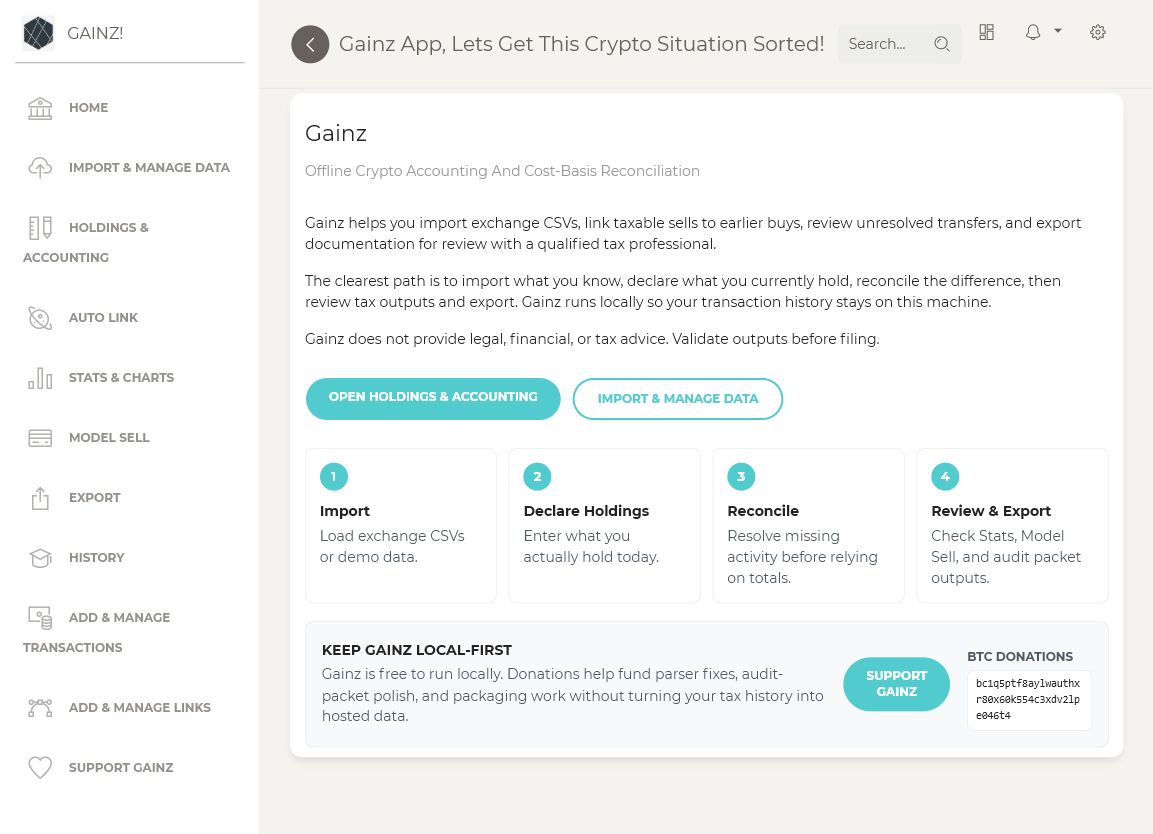
Gainz is not trying to replace hosted crypto tax platforms for fast account sync or one-click filing. Its lane is offline reconciliation for people who need to explain old CSVs, missing basis, current holdings, prior-year evidence, and open review work without first uploading raw tax history.
Useful when you want hosted workflows, exchange connections, and direct filing paths.
Useful for technical users, but often less focused on guided review queues and CPA packet handoff.
Focuses on holdings gaps, missing basis, evidence inventory, work order output, and audit packet structure.
Unresolved blockers stay visible in exports and packets instead of being hidden behind a final number.
Load source CSVs and confirm gross values, fees, total cost, and net proceeds.
Record what you currently hold and set other tracked assets to zero when appropriate.
Review one holdings or missing-basis gap at a time; automatic FIFO uses supported lots first.
Review assumptions and blockers, then generate a clearly labeled packet for professional review.
This ZIP is generated from Gainz demo CSVs only. It shows the packet structure, CPA-facing notes, privacy/evidence handling, source manifests, Form 8949-style totals, holdings reconciliation, and work order files without exposing private records.
README_FIRST.md and PACKET_STATUS.mdFOR_CPAS.md and CPA_HANDOFF.mdPRIVACY_AND_EVIDENCE_HANDLING.mdUse this to review what Gainz produces before importing your own CSVs.
The GitHub wiki is generated from the latest public docs and includes the current Guided Reconciliation, fee-aware Import, Tax Evidence, and Reports & Export flow.
Gainz is strongest when broad tax software guidance is too generic and the real problem is a messy record trail.
These screenshots use synthetic demo data so visitors can understand the workflow without exposing private financial records.


Gainz runs on your computer. It does not require a hosted account, exchange API sync, wallet sync, or transaction-history upload for the reconciliation workflow. Tax evidence scans default to reference-only records unless you explicitly choose packet copy.
Get Gainz 0.2.50 Windows and macOS packages from GitHub. Review release notes before installing or updating.
Download GainzGainz is free to use locally. Donations help fund parser fixes, desktop packaging, documentation, and audit-packet improvements.
Donate with Cash AppGainz helps organize crypto records and generate reports. It does not provide tax, legal, financial, investment, accounting, or other professional advice. Reports and audit packets should be reviewed by the user and a qualified tax professional before relying on them.